
Online PC Peripheral Tester
My PC Tester
Test your keyboard, mouse, gamepad, speakers, microphone, monitor and webcam right in your browser…
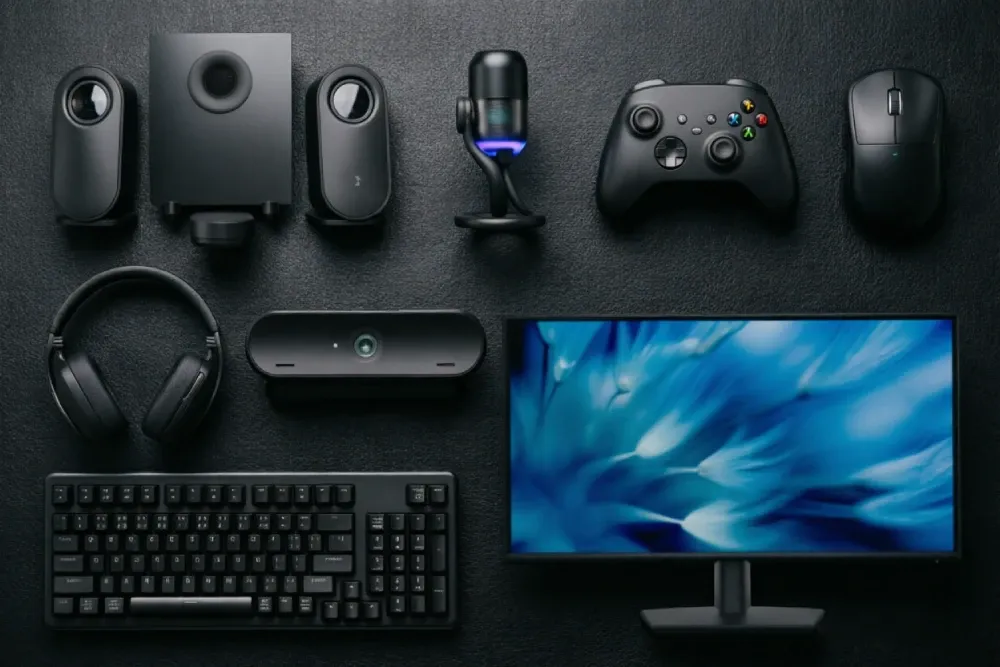
The site is still in an early testing phase — features are being improved and adjusted. If you run into any issue, reach out via Contact us at the bottom of the page. Thanks for your support and understanding.
Keyboard Test
INPUTFull key response, rollover / NKRO, chatter, input latency and typing speed — tested live on a virtual keyboard.
Mouse Test
INPUTEvery button, the wheel, polling rate, double-click faults and movement smoothness.
Gamepad Test
INPUTDigital buttons, analog stick dead zones, trigger range and rumble motors (Gamepad API).
Speaker Test
AUDIOLeft/right channels, stereo and balance, plus a full-frequency sweep and low/mid/high response check.
Mic Test
AUDIOInput level, noise floor, spectrum and sample info, plus record-and-playback so you can hear yourself.
Camera Test
VISUALLive preview that reads resolution, frame rate and more, with snapshot and fullscreen checks.
Preview
Snapshot
Frame rate
Screen Test
VISUAL8 fullscreen checkups — dead pixels, backlight bleed, focus, contrast and more.
Refresh Rate Test
VISUALUFO Test: measure your live refresh rate and frame rate.
Frame rate
Ghosting
Phone Screen Test
VISUALA phone-screen checkup — dead pixels, color, focus and more — plus refresh-rate and touch tests, all built for phones and tablets.
GPU Test
VISUALVolumeshader_bm GPU test: WebGL fractal stress test, right in your browser.
WebGL
FPS
About My PC Tester
My PC Tester brings professional-grade peripheral diagnostics into your browser: keyboard, mouse, speakers, microphone, camera and display — one link per device, open and test, and know the health of your gear in minutes.
Methodology
All tests run locally in your browser with standard Web APIs — your input never leaves the machine. Keyboard and mouse use the raw keyboard/mouse event pipeline; audio uses the Web Audio API; gamepad polls the Gamepad API.
Compatibility
Chrome / Edge 120+, Firefox 121+, Safari 17+. Full gamepad support needs USB or Bluetooth HID. Microphone tests require a mic permission prompt. Some features may be limited on mobile browsers.
More peripherals
Keyboard, mouse, speakers, microphone, camera and screen tests are live, with gamepad and GPU benchmarks on the way — your whole setup, checked from one site.
Instant, no setup
Open a page and test — no drivers, no software, no account. Nothing to install and nothing left behind on your machine.
Technical principles
Every tool runs locally in your browser on standards-based web APIs. They reach a conclusion three different ways — some read the device directly, some hand the picture to your eyes, and some grab a slice of live data and estimate.But understand this and you'll know exactly what sits behind every number.
Live APIs · read the device
Reads the real event / interface that the system or browser hands us, seeing exactly what the device does right now — no guessing.
You get the device's honest output — it reports, you read.
Pure display · judge with your eyes
The page only plays out a calibrated picture / sound, and your eyes and ears call the verdict — no automatic conclusion.
You get your own observation — a fault, you can see it.
Sample & estimate · compute a number
Grabs a short slice of real data — timestamps, frame counts, spectrum — then computes an estimate — close, but not laboratory-absolute.
You get a computed metric — right direction, approximate margin.
Ready to start?
Don't overthink it — jump into a random test and check your gear right now.